
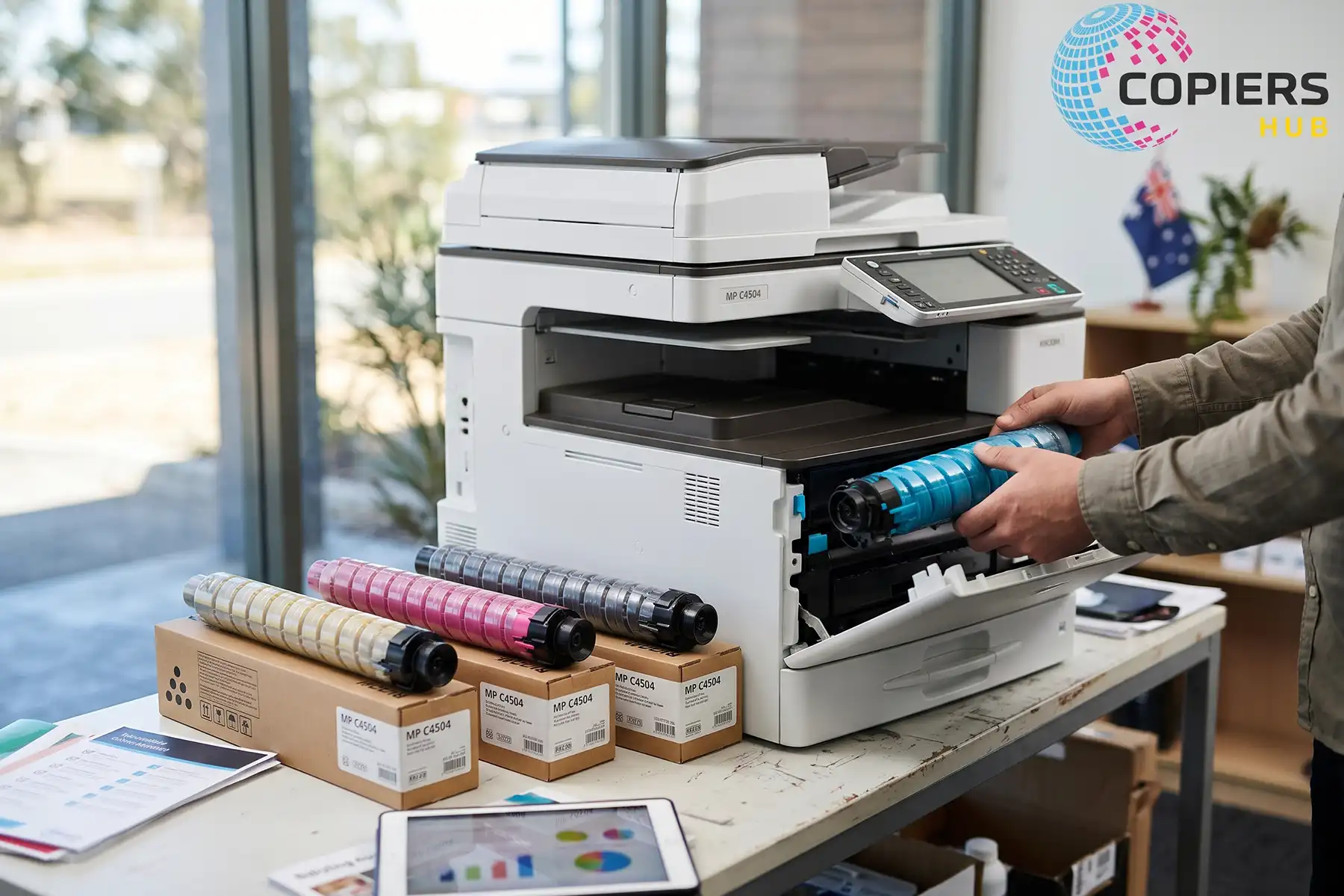
Ricoh MP C4504 Toner Australia – Prices and Buying Tips
Ricoh MP C4504 toner is one of the biggest running costs for an office that prints in colour. This guide helps you choose the right supply, keep costs under control and avoid delays. You’ll learn what to buy, where to buy it and how to replace it safely.
What Is Ricoh MP C4504 Toner?
Toner is the fine powder your copier fuses onto paper to form text and images. Ink is liquid and soaks into the page. Toner is dry, and the machine melts it onto the sheet with heat. That is why toner suits high-volume office work.
The MP C4504 is a colour machine, so it uses four toners: black, cyan, magenta and yellow. Each machine is built around specific supplies. A toner made for a different model may not fit, may not be recognised, or may print poor colour. Always match the supply to your exact machine.
How to Choose the Right Ricoh MP C4504 Toner
A wrong order costs time and money. Three quick checks will keep you on track.
3.1. Check Your Printer Model
Look at the label on the front or side of the copier. Confirm the full name, such as MP C4504 or MP C4504ex. Some suppliers write it as Ricoh MPC4504 or MP-C4504, so don’t be thrown by small spelling differences. If you can’t find the label, check the machine’s information screen or your service paperwork.
3.2. Match Toner Colours and Product Codes
Each colour has its own product code. Overseas listings often use different codes, so confirm the Australian code with your supplier before you buy. The table below shows what to record.
| Colour | What to confirm | Your verified code |
|---|---|---|
| Black | Model compatibility, genuine or compatible | Add your code |
| Cyan | Model compatibility, genuine or compatible | Add your code |
| Magenta | Model compatibility, genuine or compatible | Add your code |
| Yellow | Model compatibility, genuine or compatible | Add your code |
Keep this table with your purchasing records. Once you’ve verified the codes, reordering takes minutes.
3.3. Check Page Yields and Pack Contents
Yield is the number of pages a toner is rated to print, usually at a standard coverage level. Compare the stated yield on each listing. Also check what’s in the pack. Some listings sell one bottle, while others sell a full-colour set.
A toner cartridge set is handy when you want all four colours at once. Note that this listing is titled for the MP C6003S, but its description lists the C4504 among supported machines. Read the compatibility list before you order.
Genuine vs Compatible Toner: Which Should You Buy?
Both options have a place. The right choice depends on what your office prints.
4.1. Benefits and Limits of Genuine Toner
Genuine Ricoh MP C4504 toner is made or approved by the manufacturer for your machine. Ricoh recommends genuine toner for good output quality. That is the manufacturer’s position, not an independent test result, so treat it as guidance.
The main limit is price. Genuine toner usually costs more per unit. Genuine supplies can also make support conversations simpler if you ever need a technician.
4.2. Benefits and Risks of Compatible Toner
Compatible toner is made by a third party and often costs less. The savings can add up across four colours. The risks are uneven quality, colour that differs from genuine output, and supplier claims you can’t verify.
Before you buy, ask the supplier about quality checks, yield testing and returns. Be cautious with any performance claim that has no evidence behind it. A small trial order tells you more than a sales page.
4.3. How to Choose for Your Office
For everyday internal documents, compatible toner may be enough. Drafts, memos and internal reports rarely need exact colour.
For customer-facing work like proposals, brochures and branded material, genuine toner is the safer choice. Colour consistency matters more there.
If your machine is under a service agreement, check the terms first. Some agreements cover supplies or limit what you can install.
How Much Does Ricoh MP C4504 Toner Cost in Australia?
Prices change often, so treat any figure you read as a snapshot. Get a fresh quote before you budget.
5.1. Compare Prices in Australian Dollars
Ask each supplier for a dated quote in Australian dollars. Check whether it includes GST and delivery. Separate genuine from compatible products. Compare single colours with sets, because a set price may differ from four single prices.
A listing such as this black toner shows how a single-colour product is presented, including compatibility and GST details. Check the live price before you decide.
5.2. Calculate Toner Cost per Page
The formula is simple: purchase price divided by stated yield. The numbers below are made up to show the method. Use your own quotes.
Black example: a $100 toner with a stated yield of 25,000 pages costs 0.4 cents per page.
Colour example: a $120 toner with a stated yield of 20,000 pages costs 0.6 cents per page for that colour. A colour page uses several toners, so add the cost of each colour used.
This result is toner-only cost. It leaves out paper, servicing and other supplies.
5.3. Budget for Total Printing Costs
Toner is one line in your printing budget. Add paper, servicing, other consumables like drums and developer units, and the cost of downtime when a machine stops. Our Ricoh supplies guide gives background on these items. Use it for general context and follow your machine’s manual for specific maintenance.
Also check your contract. If you already pay for toner through a service agreement, buying extra supplies may double up your costs.
Where to Buy Ricoh MP C4504 Toner in Australia
The cheapest listing isn’t always the best deal. Look at the whole service.
6.1. Compare Local Toner Suppliers
A good supplier shows clear compatibility information and lists the product code. They offer business invoicing, show stock levels and give you a way to reach a real person. Ask whether they can confirm compatibility with your model by phone or email. Slow answers before a sale usually mean slow help afterwards.
6.2. Check Delivery and Return Terms
Ask about metro and regional delivery times and when orders are dispatched. Regional offices should confirm timing before relying on a supplier.
Read the return policy for incorrect items and for faulty products. Find out who pays freight on returns, and how long you have to report a problem. Keep the packaging until you’ve tested the toner.
6.3. Plan Repeat Orders and Spare Stock
Set a reorder point for each colour. Base it on how fast your office uses toner, how long delivery takes and how much storage space you have. For example, if delivery takes five business days and you use a bottle every three weeks, reorder when one spare remains. Black usually runs out faster than colours, so stock it more heavily.
How to Replace Ricoh MP C4504 Toner
Replacement is a routine task. Follow Ricoh’s model-specific guide for your machine, because the manual overrides any general advice.
7.1. Check the Toner Message
Read the message on the control panel. It tells you which colour needs attention. Check the screen for instructions before you open anything. Have the replacement toner ready, and confirm the colour matches the message.
7.2. Follow the Replacement Instructions
Open your Ricoh manual to the toner replacement section for the MP C4504. Then follow the steps for your machine as written. In general, you should do the following.
Take the new toner out of its packaging only when you’re ready to install it. Handle it by the grips and avoid touching any openings. Place the old toner on paper or a protective sheet so spills don’t reach the floor. Keep toner powder away from your face and clothing. If you spill any, wipe it up with a damp cloth rather than blowing it away.
If the manual and this article differ, follow the manual. Close all covers fully when you’re done.
7.3. Check Print Output After Replacement
Wait until the machine shows it is ready. Then print a sample office document with text, a logo and a colour chart if you have one. Check for streaks, faded areas and colour shifts. If the output looks right, you’re done. If not, move to the troubleshooting section.
How to Troubleshoot Common Toner Problems
Not every print fault comes from toner. Start with simple checks.
8.1. Toner Not Recognised
Check that the product matches your model and colour. Read the exact message on the screen. Remove the toner and install it again, following the user steps in your manual. Make sure all covers are closed. If the machine still rejects it, contact the supplier to confirm compatibility, then contact support.
8.2. Faded Prints, Streaks or Uneven Colour
Match your checks to the symptom. Faded text may point to low toner, a paper issue or a print setting set to save toner. Streaks can come from the drum, the developer unit or dirt inside the machine. Uneven colour may relate to one colour running low.
Try a different paper stock and check your settings first. Our faded print troubleshooting page covers further possible causes. Treat it as extra reading and keep your Ricoh manual as the reference for handling steps.
8.3. When to Contact a Technician
User checks cover toner replacement, paper choice, settings and simple cleaning that your manual allows. Call a qualified technician if you see repeated errors, damaged parts, loud noises or faults that continue after a new toner is fitted. Don’t open areas the manual marks as service-only. If your machine is under a service agreement, contact your provider first.
How to Reduce Toner Costs and Printing Delays
Small habits make a measurable difference over a year.
9.1. Review Colour and Print-Quality Settings
Match settings to the document. Internal drafts rarely need full colour or top quality. Test a few settings on real documents and compare the output. Check the results before you set any office-wide default, so you don’t lower quality on important work.
9.2. Reduce Unnecessary Prints and Reprints
Use print preview to catch errors before printing. Ask staff to proofread on screen first. Write short printing guidelines, such as printing double-sided and choosing black and white for internal use. Fewer reprints means less toner and less paper.
9.3. Track Usage and Reorder on Time
Keep a simple log of print volumes, toner purchases and replacement dates. A spreadsheet works fine. Over a few months, you’ll see how long each colour lasts. You can also track toner levels and set low-toner alerts if your setup supports them.
How to Store and Recycle Toner
Good storage protects your supplies. Responsible disposal protects the environment.
10.1. Store Unused Toner Correctly
Follow the instructions on the packaging and in Ricoh’s documentation. In general, keep toner in its original packaging until use. Store it in a cool, dry place out of direct sunlight, and keep it away from heat sources. Don’t stack heavy items on top of it. Check the pack for any orientation markings before you put it on a shelf.
10.2. Find an Australian Recycling Option
Before you throw anything out, confirm whether a recycling programme is currently running and whether it accepts your items. Programme rules change. Ask whether it takes toner bottles, cartridges and waste-toner containers, because acceptance can differ. Check with your supplier, Ricoh or a national programme such as Cartridges 4 Planet Ark. Follow their instructions for packing and drop-off or pickup.
Ricoh MP C4504 Toner Buying Checklist
Use this list before every order.
- Machine model confirmed
- Colour needed (black, cyan, magenta or yellow)
- Verified Australian product code
- Toner type: genuine or compatible
- Stated page yield
- GST-inclusive delivered price
- Stock availability and dispatch time
- Return terms for wrong or faulty items
- Service contract coverage checked
Frequently Asked Questions
12.1. Which Toner Does the Ricoh MP C4504 Use?
The machine uses four toners: black, cyan, magenta and yellow. Each has its own product code. Confirm the Australian code with your supplier and check the compatibility list before ordering. Both genuine and compatible options are sold locally.
12.2. How Many Pages Does Ricoh MP C4504 Toner Print?
It depends on the product. Each listing states a yield, usually at standard coverage. Your real results change with page content and settings. Compare stated yields between listings, then track your own usage to learn what you actually get.
12.3. Can I Use Compatible Toner in My Ricoh MP C4504?
Many suppliers sell compatible toner for this model. Quality varies. Check the supplier’s quality checks, returns policy and evidence behind any claims. Start with a small order, and test both text and colour output before buying in bulk.
12.4. Does Compatible Toner Affect My Warranty or Service Agreement?
It can, depending on the terms. Read your warranty or service agreement, or ask your provider in writing. Some agreements limit the supplies you can use. Check before you switch, not after a fault appears.
12.5. Can I Print in Black When a Colour Toner Runs Out?
This depends on your machine’s settings and the message shown. Some machines allow limited use, and others stop. Check your manual or ask your service provider. Replacing the empty colour quickly is the safest option.
12.6. Why Does the Toner Warning Remain After Replacement?
Common causes include the wrong colour, a toner that isn’t seated properly or an open cover. Reinstall it by following the manual. If the message stays, check that the product is compatible, then contact your supplier or technician.
12.7. Is Toner Included in a Managed Print Contract?
Some contracts include toner, and others don’t. Read your agreement. Look for toner supply, service visits and page allowances. If toner is included, don’t buy extra supplies without checking with your provider.
12.8. Where Can I Recycle Ricoh Toner in Australia?
Ask your supplier or Ricoh first. National programmes like Cartridges 4 Planet Ark may also accept some items. Confirm that the programme is active and whether it accepts bottles, cartridges and waste-toner containers before you arrange drop-off.