
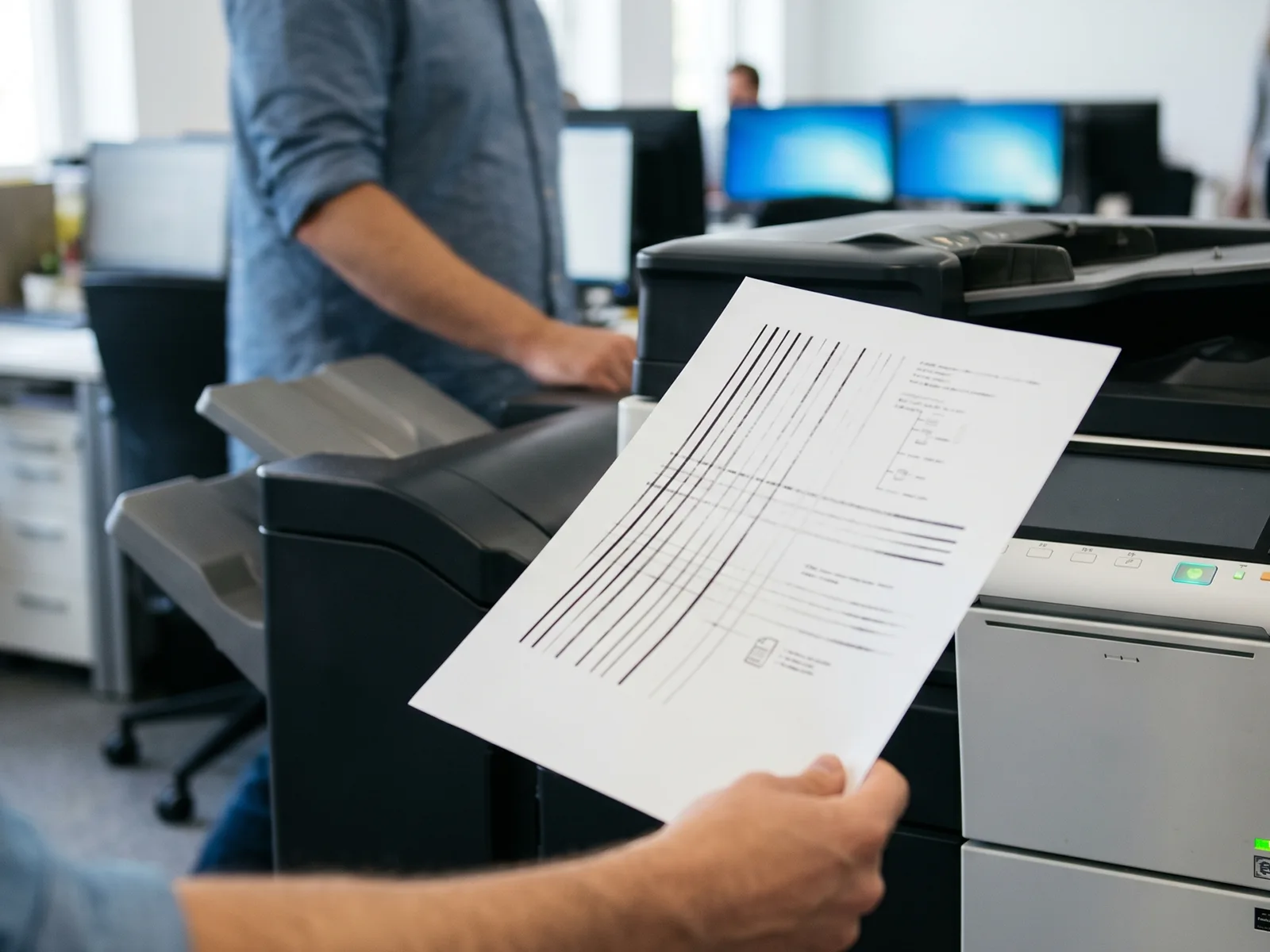
Copier Printing Faded Lines Fix – Complete Troubleshooting Guide
Faded lines on your printouts are one of the most common office frustrations. They slow down your work, waste paper, and often signal something you can fix yourself in minutes. This guide walks you through every cause, every fix, and when to call someone in.
What Causes Faded Lines on Copier Printouts
Faded print problems can come from several parts of the machine. Understanding the source saves you time and money.
The most common cause of faded lines is low ink or toner. When a toner cartridge runs low, it can’t deposit enough toner onto the drum, and your output looks light and patchy. A worn or damaged drum unit causes similar symptoms, often producing vertical lines down the page.
Dirty scanner glass is another frequent culprit. Dust, fingerprints, or smears on the glass create streaks that appear consistently on every copy. The same applies to dirty mirrors inside the machine.
Your print settings also matter. If the printer is set to draft mode or the print density is too low, prints come out lighter than expected. This is an easy one to overlook after a software update or a change in printer preferences.
Finally, a failing fuser unit can cause faded or streaky output. The fuser applies heat to bond toner to the paper. When it starts to wear out, toner doesn’t stick properly and you get faded text or uneven coverage.
How to Diagnose the Source of Faded Lines
Before replacing anything, run a quick check. A systematic approach stops you from spending money on parts you don’t need.
Check the Toner Cartridge First
Open the machine and remove the toner cartridge. Gently rock it side to side to redistribute the remaining toner. Reinsert it and print a test page. If the output improves, you’re low on toner and need a replacement soon.
Inspect the Drum Unit for Damage
Remove the drum unit carefully and look for scratches, scuffs, or buildup on the surface. A damaged drum unit often causes consistent vertical lines or faded patches in the same spot on every page. Handle it away from direct light.
Examine the Scanner Glass and Mirrors
Open the scanner lid and inspect the glass for smears, dust, or debris. Even a small mark can produce a visible line on every copy. Check the mirrors inside the document path too, especially if you use the ADF regularly.
Test Print a Diagnostic Page
Most laser printers and copiers have a built-in test print function. Access it through the printer menu or printer settings on your computer. A diagnostic page tells you whether the problem is consistent across the whole page or limited to one area, which points you toward the right fix.
Step-by-Step Fixes for Faded Lines
Work through these in order. Start with the cheapest and easiest fixes before replacing parts.
Clean the Scanner Glass and ADF Rollers
Turn the machine off before cleaning. Use a soft, lint-free cloth lightly dampened with isopropyl alcohol. Wipe the scanner glass in one direction, then dry it with a clean cloth. For the ADF rollers, open the feeder cover and gently wipe each roller. Debris on the rollers causes skewed or streaky copies, especially on multipage documents. Run a few blank pages through after cleaning to clear any remaining residue. This fix costs nothing and often solves the problem immediately.
Replace the Toner Cartridge
If rocking the cartridge didn’t help for long, it’s time to replace it. Remove the old cartridge and install the new one firmly until it clicks into place. Print a test page right away to confirm the fix. When buying, choose toner cartridges that are compatible with your specific printer model. Using the wrong cartridge or a poorly made generic one can produce faded output from day one. Genuine cartridges for brands like Canon, Ricoh, and Konica Minolta are available with fast delivery across Australia.
Clean or Replace the Drum Unit
If the toner is fine but you’re still seeing lines, the drum unit could be the problem. Clean it gently with a dry, lint-free cloth, wiping along the drum surface in one direction. Don’t use alcohol or water on the drum itself. If the surface is visibly scratched or if cleaning doesn’t fix the issue, you need a replacement. A new drum unit resolves most cases of persistent vertical lines and uneven fading. Replacing a drum unit is straightforward on most laser printers and takes under 10 minutes.
Run the Copier’s Built-in Cleaning Cycle
Most modern laser printers have a built-in cleaning function you can run from the printer menu. It feeds a sheet of paper through the fuser and internal rollers, picking up loose toner and debris. Check your printer manual for the exact steps, as the menu location varies by printer model. Run this cycle whenever you notice faded or streaky output that isn’t caused by a failing cartridge. It’s especially useful if the printer sits idle for long periods, as dried ink and toner dust can settle inside the machine.
Adjust Print Density Settings
Open the printer software on your computer or access the printer preferences through the printer menu. Look for print density or darkness settings. Many printers default to a lighter setting to save toner, which can make prints look faded. Increase the density by one or two steps, then print a test page. If prints come out lighter than they should, this is often the quickest fix. Check whether the printer is set to draft or economy mode, as these settings deliberately reduce how much ink or toner the printer uses.
Check for Worn Fuser Components
A worn fuser is a less common cause but worth checking if the fixes above don’t work. Fused pages that feel powdery or smudge when you rub them indicate the fuser isn’t bonding toner properly. Replacing a fuser is more involved and usually requires sourcing the right part for your printer model. If you’re not confident doing it yourself, this is the point where professional service makes sense.
Types of Faded Lines and What They Mean
The location and pattern of faded lines tells you a lot about where the fault is.
Vertical Faded Lines
Vertical lines running down the page from top to bottom usually point to a dirty or scratched drum unit. If the lines appear in the same position on every page, a physical mark or buildup on the drum is the most likely cause. Cleaning or replacing the drum unit usually fixes this. Vertical lines can also come from a blocked or worn toner cartridge, so check both before replacing anything.
Horizontal Lines
Horizontal lines across the page often indicate a problem with the fuser unit or dirty rollers. If you’re printing horizontal lines that repeat at regular intervals, measure the distance between them. This spacing often matches the circumference of a specific roller inside the machine, which helps you identify exactly which component is causing the fault. Printing horizontal lines consistently across multiple jobs points to a hardware issue that may need professional attention.
Random Spotty Fading
Patchy or spotty fading that doesn’t follow a consistent pattern is usually caused by low toner, a failing drum unit, or moisture in the paper. If your paper storage area is humid or you’re using paper that’s been sitting open for a while, moisture can affect how toner bonds to the page. This produces faded or patchy results that can look like a hardware problem but aren’t. Try a fresh ream of paper from a sealed pack. If the faded output continues, check your ink or toner cartridges and drum condition.
When to Call a Professional Technician
Some faded print problems are beyond a basic fix. Knowing when to call someone saves you time and prevents further damage.
Signs Your Copier Needs Major Repairs
Call a technician if you’ve replaced the toner cartridge and drum unit but the printer is still printing faded output. Persistent horizontal lines, black streaks, or paper jams that happen repeatedly often signal a failing fuser or internal roller damage. A fault with the printer’s internal electronics, such as a failing laser unit, also requires professional diagnosis. If the printer is older and has had repeated issues, a technician can assess whether repair is worth the cost.
Cost of DIY vs. Professional Service
Replacing a toner cartridge or drum unit yourself costs between $30 and $200 depending on the brand and model. A professional service call in Australia typically starts at $120 to $180 for a technician visit, with parts on top. DIY is worth it for consumable replacements. Once you’re looking at fuser replacements or internal repairs, the cost of professional service is often comparable to doing it wrong yourself and damaging more components.
Finding Trusted Copier Service in Australia
For repairs that go beyond basic troubleshooting, contact service providers with experience across major brands. Copiers Hub supports businesses in Melbourne and across Australia with both parts supply and technical support.
Preventive Maintenance Tips to Avoid Faded Lines
Keeping your copier in good shape avoids most print quality problems before they start.
Regular Cleaning Schedule
Clean the scanner glass and ADF rollers once a week in busy offices, or every two weeks in lighter-use environments. Wipe down the exterior vents monthly to prevent dust from building up inside. Run the machine’s built-in cleaning cycle every month or after high-volume print jobs. A consistent cleaning schedule is the single most effective way to maintain print quality.
Use High-Quality Toner and Supplies
Cheap or poorly made ink or toner cartridges are a common cause of faded print issues. They often deliver inconsistent toner density and can damage the drum unit over time. Invest in genuine or high-quality compatible cartridges from reputable suppliers. The cost difference per page is small compared to the cost of a service call or a replacement drum unit.
Proper Paper Storage and Handling
Store paper in a cool, dry place in sealed reams until you need it. Moisture absorbed by paper affects how toner bonds to the surface, which produces faded or patchy results. Don’t leave large stacks of paper sitting in the printer tray for extended periods. Fan the paper before loading it to reduce static and improve feed reliability.
Schedule Routine Professional Servicing
Even with regular cleaning, copiers benefit from a professional service once a year. A technician can clean internal components you can’t easily reach, check roller wear, and identify parts that are close to failing. Good printer maintenance practices extend the life of your machine significantly and reduce unexpected downtime.
Benefits of Fixing Faded Lines Quickly
A copier printing faded lines costs you more than just reprints. Staff time spent troubleshooting, wasted paper, and delayed documents all add up fast in a busy office.
Fixing the problem early also prevents minor issues from becoming expensive ones. A dirty scanner glass is a two-minute fix. Left uncleaned for months, it can leave permanent marks. A low toner cartridge resolved quickly won’t put extra strain on the drum unit.
Fast fixes mean less downtime, lower running costs, and output that actually looks professional when it reaches clients or colleagues.
Frequently Asked Questions
Why are there faded lines on every copy I make?
If the same faded lines appear on every copy, the problem is almost always with the scanner glass or drum unit. A mark on the glass shows up consistently on every copy because the scanner reads the same spot each time. Check the glass first, then inspect the drum. A toner cartridge problem usually causes more general fading rather than consistent lines in the same position.
Can low ink or toner cause faded lines on printouts?
Yes. Low ink or toner is one of the most common causes of faded output. When the cartridge runs out unevenly, you can get horizontal or vertical light bands across the page. Remove the cartridge, rock it side to side, and reinsert it as a temporary fix. Replace it as soon as possible.
How often should I clean my copier’s scanner glass?
In a busy office, clean it weekly. In a smaller office with lighter use, every two weeks is fine. If you notice streaks or lines on copies, clean it immediately rather than waiting for a scheduled clean.
Is it worth replacing the drum unit or buying a new copier?
If the copier is relatively new and the drum unit is the only issue, replacing it is almost always cheaper than buying a new machine. Drum units for most common brands cost between $80 and $300. A new copier starts at several hundred dollars for a basic model. If the machine is old and has multiple recurring faults, replacement becomes worth considering.
What’s the average cost to fix a copier with faded lines in Australia?
If the fix is a toner cartridge, expect to spend $30 to $150 depending on the brand. A drum unit replacement costs $80 to $300. A professional service call, including labour, typically runs $120 to $250 before parts. Complex repairs like fuser replacement can push the total to $400 or more.
Can I fix faded lines myself or do I need a technician?
Most faded print problems are easy to fix yourself. Cleaning the scanner glass, replacing a toner cartridge, and adjusting print density settings are all tasks you can handle without any special skills. If you’ve done all of those and the printer is still faded after troubleshooting, a technician is the right next step.
Why do faded lines appear after changing the toner cartridge?
This usually means the new cartridge wasn’t seated properly, or there’s a protective strip still attached. Remove the cartridge, check for any tape or packaging material that should be removed before use, and reinsert it firmly. If the problem persists after that, check whether the cartridge is compatible with your specific printer model.
How long does it take to fix faded lines on a copier?
Most fixes take 5 to 15 minutes. Cleaning the scanner glass takes under 5 minutes. Replacing a toner cartridge or drum unit takes about 10 minutes. Running a cleaning cycle through the printer menu takes 5 to 10 minutes. Professional repairs obviously take longer, but even those are usually completed within a same-day or next-day service call.
Will using generic toner cause faded lines on my prints?
It can. Low-quality generic toner often produces faded output because the toner particle size and density aren’t matched precisely to your machine. Some compatible cartridges are high quality and work fine. Others produce faded print issues from the first page. Read about OEM vs compatible toner before deciding. The safest option is to buy from a reputable supplier who stands behind the product.
When should I consider leasing a replacement copier instead of repairing?
If your copier is more than 7 to 10 years old and needs repeated repairs, leasing a replacement is worth calculating. Add up what you’ve spent on service calls and consumables over the past 12 months. If that figure approaches the cost of a monthly lease, a new machine with a service agreement is a smarter investment. A new printer also comes with current firmware, better energy efficiency, and often better colour printing quality than an older model.